

Appearance
URL Split Tests
What Are URL Split Tests?
URL Split Tests let you compare entirely different pages by splitting traffic between multiple URLs.
Setting Up a URL Split Test
- Navigate to Split Tests in your Dalton dashboard
- Click "Create URL Split Test"
- Add your URLs (minimum 2, no maximum limit)
- Select your traffic optimization mode
- Set your primary conversion goal
- Launch your test
URL Results
Once your test is running, Dalton tracks performance across all page variants. The results dashboard shows conversion rates, click-through rates, and bounce rates side by side — along with a 90% confidence interval so you can see exactly when one variant is outperforming the others. 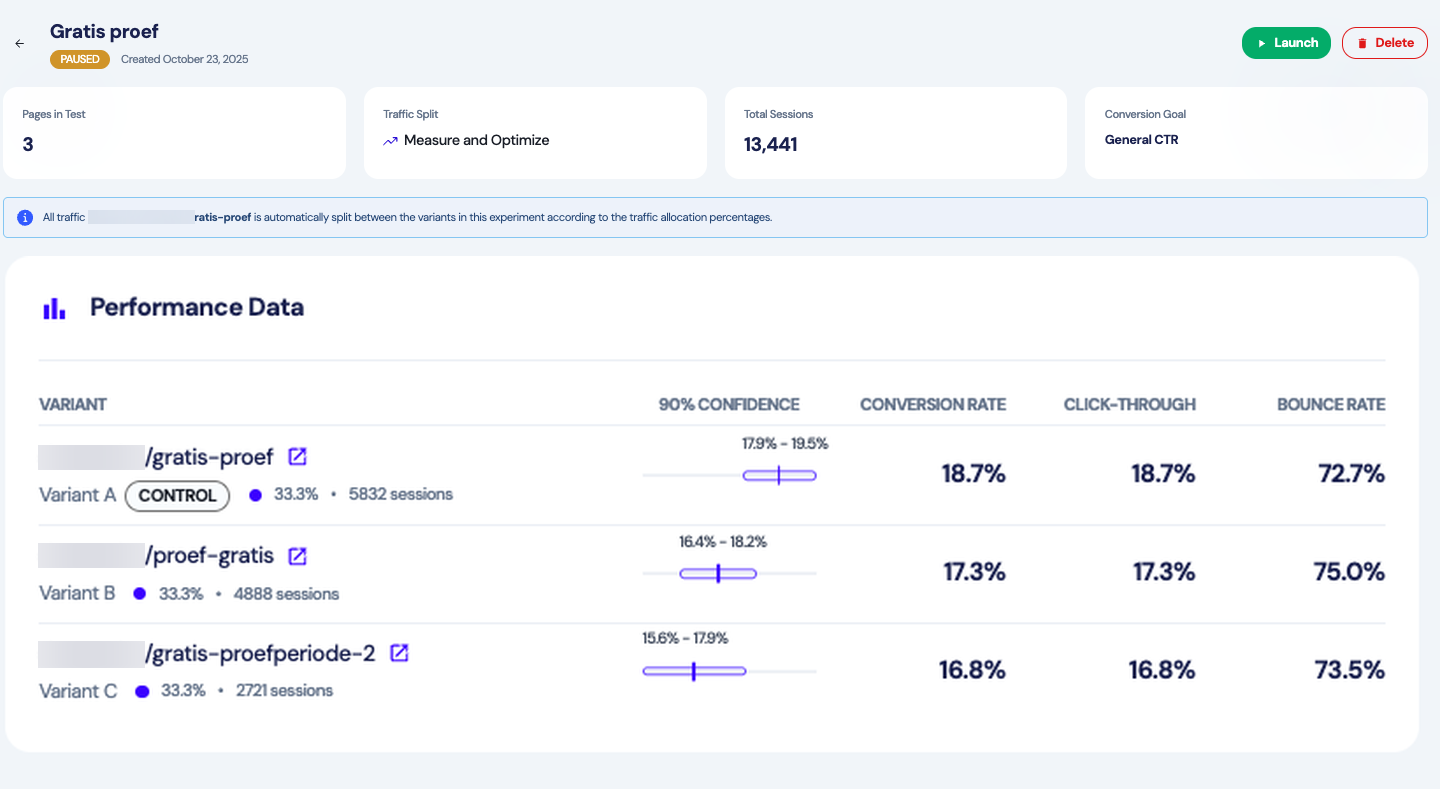
When to Use URL Split Tests
URL Split Tests are ideal when you have completely different page designs to compare:
- Two distinct page layouts (video hero vs. image carousel homepage)
- Testing a full redesign against your current page
- Different landing page templates for the same goal
- Separate pages with fundamentally different structures
Example: You have two homepage designs—one features a video hero with minimal text, the other uses an image carousel with detailed copy. Instead of building variants in the editor, create both pages separately and use URL Split Testing to see which converts better.
How It Works
- Add Your URLs: Create your page variations (2, 3, or more pages)
- Choose Traffic Distribution: Select how visitors are split
- Launch: Dalton automatically routes traffic to each URL
- Monitor Performance: Track which design converts best
No additional code needed—if Dalton is installed, URL Split Tests work automatically.
Traffic Distribution Modes
Choose how traffic is split across your URL variants:
Fixed Split
Equal traffic distribution across all variants throughout the test.
- Best for: When you need equal sample sizes for statistical accuracy
- Example: Testing 3 pricing page layouts—each gets exactly 33% traffic
Smart Optimization
Gradually shifts more traffic toward better-performing variants over time while still learning from all options.
- Best for: Balancing learning with conversion optimization
- Example: Testing homepage redesigns—want to optimize conversions while gathering data
Aggressive Optimization
Rapidly allocates most traffic to the top-performing variant to maximize conversions during testing.
- Best for: Time-sensitive tests where opportunity cost is high
- Example: Black Friday promotion page with limited time—need to maximize conversions immediately
Choosing the Right Mode
Start with Smart Optimization for most tests—it balances statistical validity with business results. Use Fixed when you need rigorous testing data, and Aggressive for time-sensitive campaigns.