

Appearance
CRO Agent
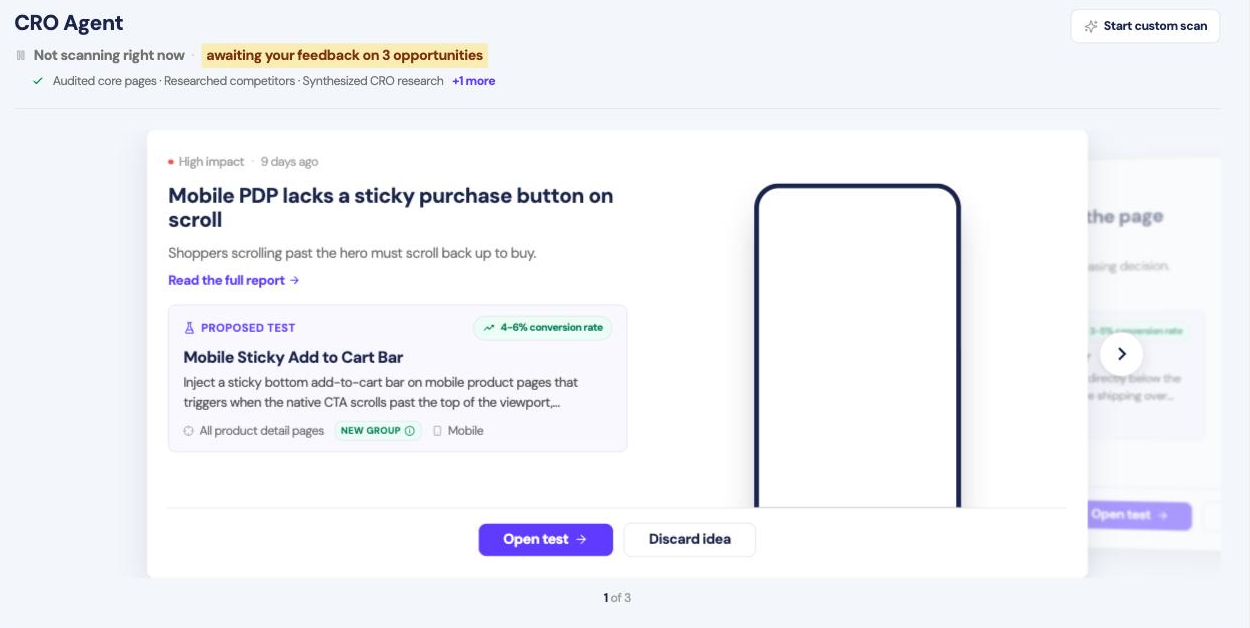
The CRO Agent scans your store on a schedule and reports the conversion problems it finds. Each one comes with a test already built.
Opportunities come one at a time. Each shows an impact rating, what is going wrong, and a screenshot of it on your site.
- Open test builds the experiment and opens it in the editor.
- Discard idea removes it.
- Start custom scan points the agent at something specific.
Nothing launches without you.
The full report
Read the full report opens the evidence behind a finding.
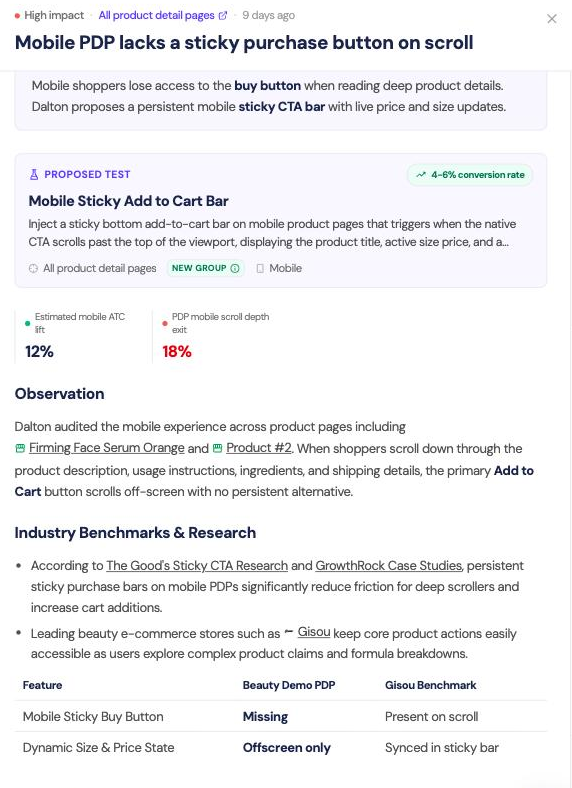
You get the observation with links to the pages it came from, the benchmarks and research it compared against, and the metrics behind the impact rating.
Saved
Tests you open but do not launch collect under Saved, and appear in Experiments as drafts.
Tuning it
Settings → CRO Agent → Custom instructions tells the agent what to focus on and what to skip: campaigns to ignore, pages mid-redesign, things you will not test. It also reads your Brand Intelligence profile.
The agent cannot see your margins, stock or internal constraints. Treat its impact estimates as a way to rank ideas, not as a forecast.